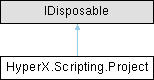
Represents a HyperX project within a database. More...
Public Member Functions | |
| TernaryStatus | AnalyzeZones (IEnumerable< int > zoneIds) |
| Analyze a list of zones by ID. | |
| TernaryStatus | AnalyzeZones (IEnumerable< ZoneBase > zones=null) |
| Analyze a list of zones. | |
| Zone | CreateNonFeaZone (FamilyCategory category, string name=null) |
| Create a non-FEA zone by name and category. | |
| void | Dispose () |
| void | ExportCad (IEnumerable< int > cadIds, string filePath) |
| Export CAD by Id. | |
| void | ExportCad (string filePath) |
| Export all CAD for this project to a file. | |
| void | ExportFem (string destinationFolder) |
| bool | FullRunSolverAnalysis (string inputFile=null, string outputFile=null, HashSet< int > zones=null, HashSet< int > sectionCuts=null, HashSet< int > panelSegments=null, int? nThreads=null) |
| Run solver in analysis mode with the specified items targeted. Generates input file, runs solver, reads output. Returns true on success. | |
| bool | FullRunSolverSizing (string inputFile=null, string outputFile=null, HashSet< int > zones=null, HashSet< int > sectionCuts=null, HashSet< int > panelSegments=null, int? nThreads=null) |
| Run solver in sizing mode with the specified items targeted. Generates input file, runs solver, reads output. Returns true on success. | |
| string | GenerateSolverAnalysisInputFile (string inputFile=null, HashSet< int > zones=null, HashSet< int > sectionCuts=null, HashSet< int > panelSegments=null) |
| Generate analysis input file for solver with the specified items targeted. Returns filepath. | |
| string | GenerateSolverSizingInputFile (string inputFile=null, HashSet< int > zones=null, HashSet< int > sectionCuts=null, HashSet< int > panelSegments=null) |
| Generate sizing input file for solver with the specified items targeted. Returns filepath. | |
| string[] | GetDashboardCompanies () |
| This method fetches an array of Dashboard company names that are available to the user who is currently logged in. The URL and authentication token are taken from the last Dashboard login made through HyperX. | |
| string[] | GetDashboardPrograms (string companyName) |
| This method fetches an array of Dashboard program names that are available to the user who is currently logged in. The URL and authentication token are taken from the last Dashboard login made through HyperX. | |
| string[] | GetDashboardTags (string companyName) |
| This method fetches an array of Dashboard tags that are available to the user who is currently logged in. The URL and authentication token are taken from the last Dashboard login made through HyperX. | |
| HashSet< int > | GetJointsWithoutResults (IEnumerable< Joint > joints) |
| Given a list of joints, returns the ids of the joints that were passed in but did not have results. If the list of joints is not a subset of the joints passed into the previous joint sizing operation, a new sizing operation will be kicked off. | |
| void | ImportCad (string filePath) |
| Import CAD from a file. | |
| string | ImportFeaResults (bool alwaysImport=false) |
| Manually import design loads. | |
| SimpleStatus | PackageProject (string destinationFilePath, bool includeFemInputFiles=true, bool includeFemOutputFiles=true, bool includeWorkingFolder=true, bool includeLoadFiles=true, bool includePluginPackages=false, bool removeAllOtherProjects=false, bool deleteUnusedPropertiesAndMaterials=false, bool mapFemFilesToRelativePaths=true, IEnumerable< string > additionalFiles=null) |
| Create a .hxp project package from the ActiveProject. | |
| void | RegeneratePfem () |
| Regenerates and displays the preview FEM. If running a script outside of the Script Runner, do not call this method. | |
| void | ReturnToUnusedFem (IEnumerable< int > zoneNumbers=null, IEnumerable< int > jointIds=null) |
| Return zones to unused FEM or delete non-FEA zones. | |
| bool | RunSolver (string inputFile, string outputFile=null, int? nThreads=null) |
| Run solver with pre-generated input file. Returns true on success. | |
| void | SetFemFormat (ProjectModelFormat femFormat) |
| SetUnitsStatus | SetFemUnits (DbForceUnit femForceId, DbLengthUnit femLengthId, DbMassUnit femMassId, DbTemperatureUnit femTemperatureId) |
| SimpleStatus | SizeJoints (IEnumerable< Joint > joints=null) |
| Size a list of joints. | |
| TernaryStatus | SizeZones (IEnumerable< int > zoneIds) |
| Size a list of zones by ID. | |
| TernaryStatus | SizeZones (IEnumerable< ZoneBase > zones=null) |
| Size a list of zones. | |
| async Task | UnimportFemAsync () |
| SimpleStatus | Upload (string uploadSetName, string company, string program, IEnumerable< string > tags, string notes, HashSet< int > zoneIds, HashSet< int > jointIds) |
| Does some checks to make sure the given parameters are valid, then uploads the given zones and joints to the Dashboard. The URL and authentication token are taken from the last Dashboard login made through HyperX. | |
Properties | |
| AnalysisPropertyCol | AnalysisProperties [get] |
| Analysis Properties for this project. | |
| ZoneCol | Beams [get] |
| DesignLoadCol | DesignLoads [get] |
| DesignPropertyCol | DesignProperties [get] |
| Design properties for this project. | |
| DiscreteFieldCol | DiscreteFieldTables [get] |
| FemDataSet | FemDataSet [get] |
| ProjectModelFormat | FemFormat [get] |
| HyperFea | HyperFea [get] |
| int | Id [get] |
| JointCol | Joints [get] |
| LoadPropertyCol | LoadProperties [get] |
| Load Properties for this project. | |
| string | Name [get] |
| ZoneCol | Panels [get] |
| PanelSegmentCol | PanelSegments [get] |
| RundeckCol | Rundecks [get] |
| SectionCutCol | SectionCuts [get] |
| SetCol | Sets [get] |
| StructureCol | Structures [get] |
| string | WorkingFolder [get] |
| ZoneCol | Zones [get] |
Represents a HyperX project within a database.
| TernaryStatus HyperX.Scripting.Project.AnalyzeZones | ( | IEnumerable< int > | zoneIds | ) |
Analyze a list of zones by ID.
Marked as success if sizing completes normally or with warnings.
| TernaryStatus HyperX.Scripting.Project.AnalyzeZones | ( | IEnumerable< ZoneBase > | zones = null | ) |
Analyze a list of zones.
Marked as success if sizing completes normally or with warnings.
| Zone HyperX.Scripting.Project.CreateNonFeaZone | ( | FamilyCategory | category, |
| string | name = null ) |
Create a non-FEA zone by name and category.
| category | |
| name |
| void HyperX.Scripting.Project.Dispose | ( | ) |
| void HyperX.Scripting.Project.ExportCad | ( | IEnumerable< int > | cadIds, |
| string | filePath ) |
Export CAD by Id.
| void HyperX.Scripting.Project.ExportCad | ( | string | filePath | ) |
Export all CAD for this project to a file.
| void HyperX.Scripting.Project.ExportFem | ( | string | destinationFolder | ) |
| bool HyperX.Scripting.Project.FullRunSolverAnalysis | ( | string | inputFile = null, |
| string | outputFile = null, | ||
| HashSet< int > | zones = null, | ||
| HashSet< int > | sectionCuts = null, | ||
| HashSet< int > | panelSegments = null, | ||
| int? | nThreads = null ) |
Run solver in analysis mode with the specified items targeted. Generates input file, runs solver, reads output. Returns true on success.
| inputFile | |
| outputFile | |
| zones | |
| sectionCuts | |
| panelSegments |
| bool HyperX.Scripting.Project.FullRunSolverSizing | ( | string | inputFile = null, |
| string | outputFile = null, | ||
| HashSet< int > | zones = null, | ||
| HashSet< int > | sectionCuts = null, | ||
| HashSet< int > | panelSegments = null, | ||
| int? | nThreads = null ) |
Run solver in sizing mode with the specified items targeted. Generates input file, runs solver, reads output. Returns true on success.
| inputFile | |
| outputFile | |
| zones | |
| sectionCuts | |
| panelSegments |
| string HyperX.Scripting.Project.GenerateSolverAnalysisInputFile | ( | string | inputFile = null, |
| HashSet< int > | zones = null, | ||
| HashSet< int > | sectionCuts = null, | ||
| HashSet< int > | panelSegments = null ) |
Generate analysis input file for solver with the specified items targeted. Returns filepath.
| inputFile | |
| zones | |
| sectionCuts | |
| panelSegments |
| string HyperX.Scripting.Project.GenerateSolverSizingInputFile | ( | string | inputFile = null, |
| HashSet< int > | zones = null, | ||
| HashSet< int > | sectionCuts = null, | ||
| HashSet< int > | panelSegments = null ) |
Generate sizing input file for solver with the specified items targeted. Returns filepath.
| inputFile | |
| zones | |
| sectionCuts | |
| panelSegments |
| string[] HyperX.Scripting.Project.GetDashboardCompanies | ( | ) |
This method fetches an array of Dashboard company names that are available to the user who is currently logged in. The URL and authentication token are taken from the last Dashboard login made through HyperX.
| string[] HyperX.Scripting.Project.GetDashboardPrograms | ( | string | companyName | ) |
This method fetches an array of Dashboard program names that are available to the user who is currently logged in. The URL and authentication token are taken from the last Dashboard login made through HyperX.
null value will be returned.| string[] HyperX.Scripting.Project.GetDashboardTags | ( | string | companyName | ) |
This method fetches an array of Dashboard tags that are available to the user who is currently logged in. The URL and authentication token are taken from the last Dashboard login made through HyperX.
null value will be returned.| HashSet< int > HyperX.Scripting.Project.GetJointsWithoutResults | ( | IEnumerable< Joint > | joints | ) |
Given a list of joints, returns the ids of the joints that were passed in but did not have results. If the list of joints is not a subset of the joints passed into the previous joint sizing operation, a new sizing operation will be kicked off.
| void HyperX.Scripting.Project.ImportCad | ( | string | filePath | ) |
Import CAD from a file.
| string HyperX.Scripting.Project.ImportFeaResults | ( | bool | alwaysImport = false | ) |
Manually import design loads.
| alwaysImport | If true, loads are imported even if loads have already previously been imported. |
| InvalidOperationException | Throws on failure. |
| SimpleStatus HyperX.Scripting.Project.PackageProject | ( | string | destinationFilePath, |
| bool | includeFemInputFiles = true, | ||
| bool | includeFemOutputFiles = true, | ||
| bool | includeWorkingFolder = true, | ||
| bool | includeLoadFiles = true, | ||
| bool | includePluginPackages = false, | ||
| bool | removeAllOtherProjects = false, | ||
| bool | deleteUnusedPropertiesAndMaterials = false, | ||
| bool | mapFemFilesToRelativePaths = true, | ||
| IEnumerable< string > | additionalFiles = null ) |
Create a .hxp project package from the ActiveProject.
| destinationFilePath | |
| includeFemInputFiles | |
| includeFemOutputFiles | |
| includeWorkingFolder | |
| includeLoadFiles | |
| includePluginPackages | |
| removeAllOtherProjects | |
| deleteUnusedPropertiesAndMaterials | |
| mapFemFilesToRelativePaths |
| void HyperX.Scripting.Project.RegeneratePfem | ( | ) |
Regenerates and displays the preview FEM. If running a script outside of the Script Runner, do not call this method.
| void HyperX.Scripting.Project.ReturnToUnusedFem | ( | IEnumerable< int > | zoneNumbers = null, |
| IEnumerable< int > | jointIds = null ) |
Return zones to unused FEM or delete non-FEA zones.
| zoneNumbers | |
| jointIds |
| InvalidOperationException | Throws if run sets exist in this project. |
| bool HyperX.Scripting.Project.RunSolver | ( | string | inputFile, |
| string | outputFile = null, | ||
| int? | nThreads = null ) |
Run solver with pre-generated input file. Returns true on success.
| inputFile | |
| outputFile |
| void HyperX.Scripting.Project.SetFemFormat | ( | ProjectModelFormat | femFormat | ) |
| SetUnitsStatus HyperX.Scripting.Project.SetFemUnits | ( | DbForceUnit | femForceId, |
| DbLengthUnit | femLengthId, | ||
| DbMassUnit | femMassId, | ||
| DbTemperatureUnit | femTemperatureId ) |
| SimpleStatus HyperX.Scripting.Project.SizeJoints | ( | IEnumerable< Joint > | joints = null | ) |
Size a list of joints.
| TernaryStatus HyperX.Scripting.Project.SizeZones | ( | IEnumerable< int > | zoneIds | ) |
Size a list of zones by ID.
Marked as success if sizing completes normally or with warnings.
| TernaryStatus HyperX.Scripting.Project.SizeZones | ( | IEnumerable< ZoneBase > | zones = null | ) |
Size a list of zones.
Marked as success if sizing completes normally or with warnings.
| zones | The zones to be sized. |
| async Task HyperX.Scripting.Project.UnimportFemAsync | ( | ) |
| SimpleStatus HyperX.Scripting.Project.Upload | ( | string | uploadSetName, |
| string | company, | ||
| string | program, | ||
| IEnumerable< string > | tags, | ||
| string | notes, | ||
| HashSet< int > | zoneIds, | ||
| HashSet< int > | jointIds ) |
Does some checks to make sure the given parameters are valid, then uploads the given zones and joints to the Dashboard. The URL and authentication token are taken from the last Dashboard login made through HyperX.
| uploadSetName | The name of the set of data uploaded to the Dashboard. |
| company | The name of the company to associate with the upload set. This company object must be made through the Dashboard UI. |
| program | The name of the program to associated with the upload set. A new program will be created if the program name does not already exist. |
| tags | The list of tags to be associated with the upload set. Any tags that do not exist will be created automatically on upload. |
| notes | The notes to be associated with the upload set. |
| zoneIds | The zone IDs to include in the upload set. |
| jointIds | The joint IDs to include in the upload set. |
|
get |
Analysis Properties for this project.
|
get |
|
get |
|
get |
Design properties for this project.
|
get |
|
get |
|
get |
|
get |
|
get |
|
get |
|
get |
Load Properties for this project.
|
get |
|
get |
|
get |
|
get |
|
get |
|
get |
|
get |
|
get |
|
get |
 1.16.1