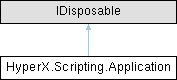
Public Member Functions | |
| Application (UnitSystem unitSystem=UnitSystem.English, int? threadCount=null) | |
| Application constructor using ApplicationUnitSystem enum. | |
| bool | CheckDatabaseIsUpToDate (string databasePath) |
| Returns true if the database version matches the version of this scripting API. Otherwise returns false. | |
| void | CloseDatabase (int delay=1) |
| Close the currently open database if one exists. | |
| SimpleStatus | CompareDatabases (string outputPath, string originalDatabasePath, string modifiedDatabasePath, string originalProject=null, string modifiedProject=null, bool compareAssignableProperties=true, bool compareMaterialsFastenersAndRivets=true, bool compareProjectSetup=false) |
| ProjectInfo | CopyProject (int projectId, string newName=null, bool copyDesignProperties=true, bool copyAnalysisProperties=true, bool copyLoadProperties=true, bool copyWorkingFolder=true) |
| Copy a project. | |
| void | CreateDatabaseFromTemplate (string templateName, string newPath) |
| Create a new database. | |
| List< HyperXpertPoint > | CreateHyperXpertPoints (HashSet< RunSetSpecifier > runSetSpecifiers, DoePlotMode plotMode, DoePointType pointType, bool generateVariabilityForLinked, bool filterNonGeometry) |
| Create HyperXpert points based on specific run sets. | |
| ProjectInfo | CreateProject (string projectName=null) |
| Create a Project. | |
| ProjectDeletionStatus | DeleteProject (string projectName) |
| void | Dispose () |
| Dispose of the application. Should be explicitly called after the application is no longer needed unless the application is wrapped with a using clause. | |
| Dictionary< int, AnalysisDefinition > | GetAnalyses () |
| Get all Analysis Definitions in the database. | |
| Dictionary< int, List< RunSet > > | GetRunSetsByProject () |
| Gets a dictionary mapping ProjectId to a List of RunSets. | |
| SimpleStatus | ImportMaterialsFromExcel (string filePath, bool deletePlies=false, bool updateMaterialsInUseInOtherProjects=false) |
| Import materials from an Excel spreadsheet. Returns true on successful import. | |
| void | Login (string userName, string password="") |
| Login to the Scripting API with a specified username and password. | |
| string | Migrate (string databasePath) |
| Migrate the database to the latest version. | |
| void | OpenDatabase (string databasePath) |
| Open a database to manipulate with the API. | |
| void | PauseUpdates () |
| Pause the sending of updates as items are created. Once resumed, all updates will be processed. | |
| void | ResumeUpdates () |
| Resume the sending of updates. Any paused updates will be processed. | |
| Project | SelectProject (string projectName) |
| Select the active project. Activating a project will deactivate the current project (if present). | |
| SimpleStatus | UnpackageProject (string sourcePackagePath, string destinationFolder=null, bool includeFemInputOutputFiles=true, bool includeWorkingFolder=true, bool includeLoadFiles=true, bool includeAdditionalFiles=true) |
| Unpackage the source .hxp package into the destination folder. | |
Properties | |
| Project | ActiveProject [get] |
| The currently active project. | |
| AnalysisPropertyCol | AnalysisProperties [get] |
| Analysis Properties for this database. | |
| Dictionary< BackdoorFlagId, BackdoorSetting > | BackdoorSettings [get] |
| static string | CompilationDate [get] |
| Date that this version of the API was compiled. | |
| string | DatabasePath [get] |
| DesignPropertyCol | DesignProperties [get] |
| Design Properties for this database. | |
| FailureModeCategoryCol | FailureModeCategories [get] |
| FailureModeCol | FailureModes [get] |
| FoamCol | Foams [get] |
| Contains all foam materials. | |
| HoneycombCol | Honeycombs [get] |
| Contains all honeycomb materials. | |
| IsotropicCol | Isotropics [get] |
| Contains all isotropic materials. | |
| LaminateFamilyCol | LaminateFamilies [get] |
| Contains all laminate families. | |
| LaminateCol | Laminates [get] |
| Contains all laminate materials. | |
| LoadPropertyCol | LoadProperties [get] |
| Load Properties for this database. | |
| OrthotropicCol | Orthotropics [get] |
| Contains all orthotropic materials. | |
| PackageManager | PackageManager [get] |
| PluginPackageCol | Packages [get] |
| ProjectInfoCol | ProjectInfos [get] |
| Contains all projects. | |
| bool | UiRunnerMode [get] |
| True while the API is being used through the HyperX UI. Otherwise false. | |
| UnitSystem | UnitSystem [get] |
| string | UserName = DbConstants.HyperSizerAdminUserName [get, set] |
| static string | Version = HyperSizerApp.VersionText [get] |
| Get the current HyperX version number. | |
Events | |
| Action< string > | MessageLog |
HyperX scripting application.
This API is not guaranteed to be thread-safe. Calls into a single application instance or its descendents are not safe to be called concurrently.
However, it is safe enough for integration testing to have multiple application instances with a single process.
| HyperX.Scripting.Application.Application | ( | UnitSystem | unitSystem = UnitSystem::English, |
| int? | threadCount = null ) |
Application constructor using ApplicationUnitSystem enum.
| unitSystem | Specify ApplicationUnitSystem.English or ApplicationUnitSystem.SI as the unit system to be used. |
| bool HyperX.Scripting.Application.CheckDatabaseIsUpToDate | ( | string | databasePath | ) |
Returns true if the database version matches the version of this scripting API. Otherwise returns false.
| void HyperX.Scripting.Application.CloseDatabase | ( | int | delay = 1 | ) |
Close the currently open database if one exists.
| delay | Delay closing the connection for this many seconds. |
| SimpleStatus HyperX.Scripting.Application.CompareDatabases | ( | string | outputPath, |
| string | originalDatabasePath, | ||
| string | modifiedDatabasePath, | ||
| string | originalProject = null, | ||
| string | modifiedProject = null, | ||
| bool | compareAssignableProperties = true, | ||
| bool | compareMaterialsFastenersAndRivets = true, | ||
| bool | compareProjectSetup = false ) |
| ProjectInfo HyperX.Scripting.Application.CopyProject | ( | int | projectId, |
| string | newName = null, | ||
| bool | copyDesignProperties = true, | ||
| bool | copyAnalysisProperties = true, | ||
| bool | copyLoadProperties = true, | ||
| bool | copyWorkingFolder = true ) |
Copy a project.
| projectId | Id of the project to copy |
| newName | Name for the new project |
| copyDesignProperties | Flag indicating whether design properties should be copied in the new project |
| copyAnalysisProperties | Flag indicating whether analysis properties should be copied in the new project |
| copyLoadProperties | Flag indicating whether load properties should be copied in the new project |
| copyWorkingFolder | Flag indicating whether working folder should be copied |
| void HyperX.Scripting.Application.CreateDatabaseFromTemplate | ( | string | templateName, |
| string | newPath ) |
Create a new database.
| templateName | The name of the template to base this database on. |
| newPath | The path to the new database. |
| List< HyperXpertPoint > HyperX.Scripting.Application.CreateHyperXpertPoints | ( | HashSet< RunSetSpecifier > | runSetSpecifiers, |
| DoePlotMode | plotMode, | ||
| DoePointType | pointType, | ||
| bool | generateVariabilityForLinked, | ||
| bool | filterNonGeometry ) |
Create HyperXpert points based on specific run sets.
| ProjectInfo HyperX.Scripting.Application.CreateProject | ( | string | projectName = null | ) |
| ProjectDeletionStatus HyperX.Scripting.Application.DeleteProject | ( | string | projectName | ) |
| void HyperX.Scripting.Application.Dispose | ( | ) |
Dispose of the application. Should be explicitly called after the application is no longer needed unless the application is wrapped with a using clause.
| Dictionary< int, AnalysisDefinition > HyperX.Scripting.Application.GetAnalyses | ( | ) |
Get all Analysis Definitions in the database.
| Dictionary< int, List< RunSet > > HyperX.Scripting.Application.GetRunSetsByProject | ( | ) |
Gets a dictionary mapping ProjectId to a List of RunSets.
| SimpleStatus HyperX.Scripting.Application.ImportMaterialsFromExcel | ( | string | filePath, |
| bool | deletePlies = false, | ||
| bool | updateMaterialsInUseInOtherProjects = false ) |
Import materials from an Excel spreadsheet. Returns true on successful import.
| filePath | |
| deletePlies | Determines whether to update laminate or laminate families with changes that will delete plies in structures. |
| updateMaterialsInUseInOtherProjects | Determines whether to update materials in use by projects outside the active project. |
| void HyperX.Scripting.Application.Login | ( | string | userName, |
| string | password = "" ) |
Login to the Scripting API with a specified username and password.
| userName | Username to login with. |
| password | Password to log in with |
| string HyperX.Scripting.Application.Migrate | ( | string | databasePath | ) |
Migrate the database to the latest version.
| void HyperX.Scripting.Application.OpenDatabase | ( | string | databasePath | ) |
Open a database to manipulate with the API.
| databasePath | File path to the DB. |
| void HyperX.Scripting.Application.PauseUpdates | ( | ) |
Pause the sending of updates as items are created. Once resumed, all updates will be processed.
| void HyperX.Scripting.Application.ResumeUpdates | ( | ) |
Resume the sending of updates. Any paused updates will be processed.
| Project HyperX.Scripting.Application.SelectProject | ( | string | projectName | ) |
Select the active project. Activating a project will deactivate the current project (if present).
| SimpleStatus HyperX.Scripting.Application.UnpackageProject | ( | string | sourcePackagePath, |
| string | destinationFolder = null, | ||
| bool | includeFemInputOutputFiles = true, | ||
| bool | includeWorkingFolder = true, | ||
| bool | includeLoadFiles = true, | ||
| bool | includeAdditionalFiles = true ) |
Unpackage the source .hxp package into the destination folder.
The destination folder should be empty.
| sourcePackagePath | |
| destinationFolder | |
| includeFemInputOutputFiles | |
| includeWorkingFolder | |
| includeLoadFiles | |
| includeAdditionalFiles |
|
get |
The currently active project.
Only one project is ever active at a time.
|
get |
Analysis Properties for this database.
|
get |
|
staticget |
Date that this version of the API was compiled.
|
get |
|
get |
Design Properties for this database.
|
get |
|
get |
|
get |
Contains all foam materials.
|
get |
Contains all honeycomb materials.
|
get |
Contains all isotropic materials.
|
get |
Contains all laminate families.
|
get |
Contains all laminate materials.
|
get |
Load Properties for this database.
|
get |
Contains all orthotropic materials.
|
get |
|
get |
|
get |
Contains all projects.
|
get |
True while the API is being used through the HyperX UI. Otherwise false.
|
get |
|
getset |
|
staticget |
Get the current HyperX version number.
| Action<string> HyperX.Scripting.Application.MessageLog |
 1.16.1